BrightScript Language for VS Code
BrightScript Language is a free, open source VS Code extension for building Roku apps. You write your code, run it on a real Roku device, and debug it, all from one editor.
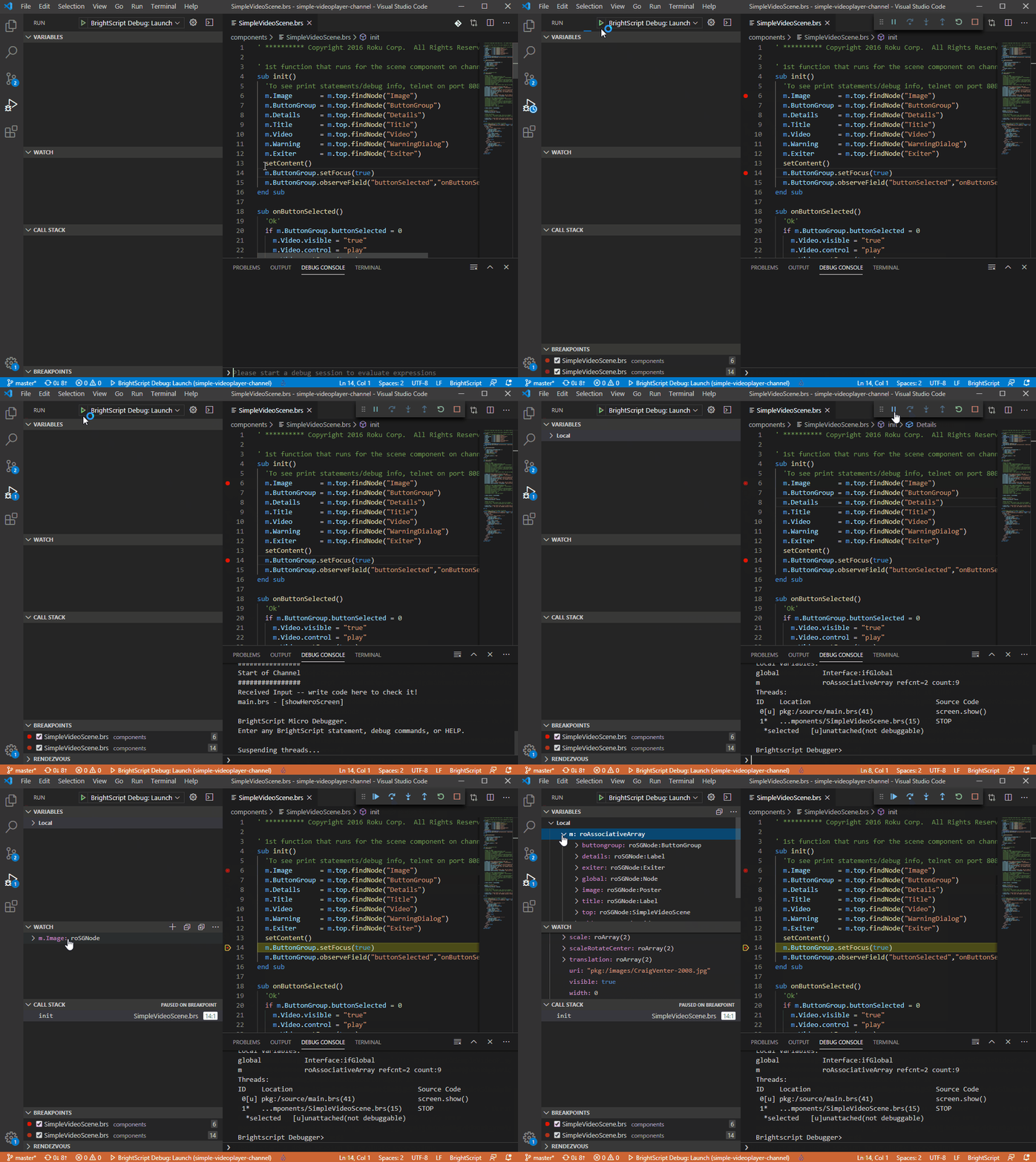
Roku apps are written in BrightScript and SceneGraph XML, and they only run on Roku hardware. Without good tools, the usual loop is slow: zip up the project, upload it to the device's web page, then read a telnet log to find out what went wrong. This extension does those steps for you. Press F5 and it packages your app, installs it on your Roku, and attaches a debugger, so you can stop on breakpoints, step through code and inspect variables on the device.
What it does
- Writing code. The extension checks your code as you type and catches problems such as syntax errors, calls to functions that don't exist, and the wrong number of arguments. It also gives you go to definition, find references, signature help, code formatting and snippets. It understands your whole project, including how your
.brsfiles connect to your SceneGraph components. - Running and debugging. The extension finds Roku devices on your network and installs your app with one click. You get breakpoints, a call stack, variable inspection, and a console where you can run BrightScript while the app is paused. If your project has its own build step, source maps link errors and breakpoints back to your original files.
- Looking at the running app. While the app runs, panels in the sidebar show you its live screen, its SceneGraph node tree, its registry, the files on the device, and how its threads are behaving. Remote control mode lets you use your keyboard as a Roku remote.
For the full list, see Features.
How it works
The extension is built from a few RokuCommunity projects. You can use each of them on its own, too:
- BrighterScript runs the language features. It's a compiler and language server for BrightScript. It also supports BrighterScript, a superset of BrightScript that adds classes, namespaces, imports and other modern features, and compiles them to plain BrightScript.
- roku-deploy packages your app and installs it on the device.
- roku-debug is the debug adapter. It connects VS Code's debugger to the device's debugger.
- Roku Test Automation powers the device tools that look inside a running app, such as the SceneGraph Inspector.
You don't need to install any of these yourself. The extension includes them.
What you need
- VS Code, or an editor that installs extensions from Open VSX.
- A Roku device in developer mode, on the same network as your computer. If you don't have one handy, you can use the Roku Cloud Emulator.
- A Roku project. A standard project (a
manifestfile plussource/andcomponents/folders) works without any setup. If your project has a different layout, or uses its own build step, you can still use it. Tell the extension where your files are; see Editing Setup and Advanced Project Setup.
You don't need Node.js or any other build tools to work in plain BrightScript.
Where to start
- New to the extension? The Quick Start goes from installing it to stopping on your first breakpoint in a few minutes.
- Setting up a real project? Read Debugging Setup, then see the Launch Configuration reference for every option.
- Looking for a specific setting? Every setting is in Extension Settings, and every shortcut is in Keyboard Shortcuts.
Community
RokuCommunity builds and maintains this extension. Its developers work on Roku apps every day. If you have a question, ask in the #vscode-bs-lang-ext channel of the Roku Developers Slack. If you find a bug or have an idea, open an issue. Contributions are welcome; see Contributing to get started.