Installation
From VSCode
-
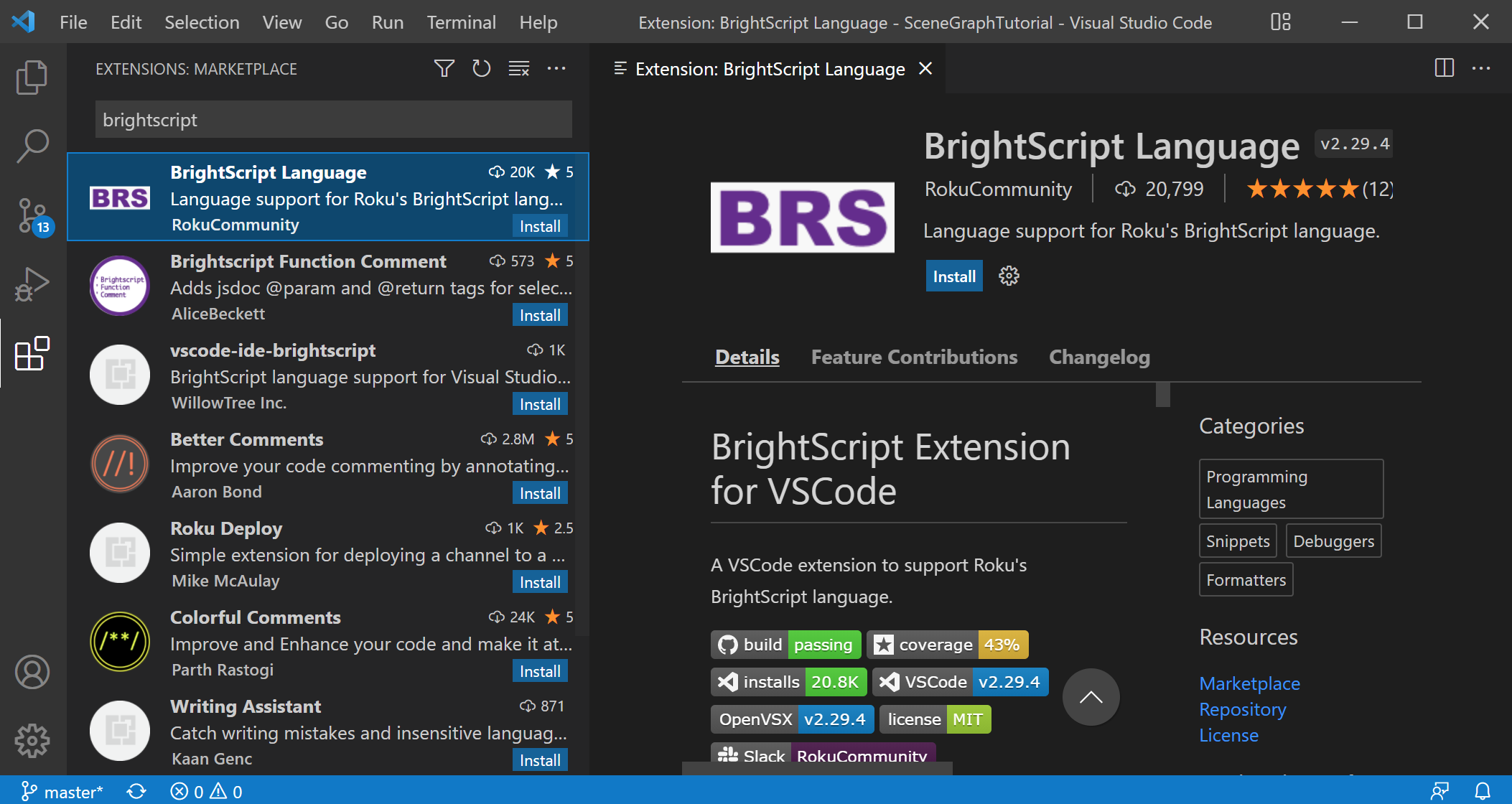
Search for "BrightScript" in the vscode extensions tab
-
Click "Install"
From GitHub
-
Navigate to our GitHub releases page: https://github.com/rokucommunity/vscode-brightscript-language/releases
-
Download the latest release version
vsix. For example: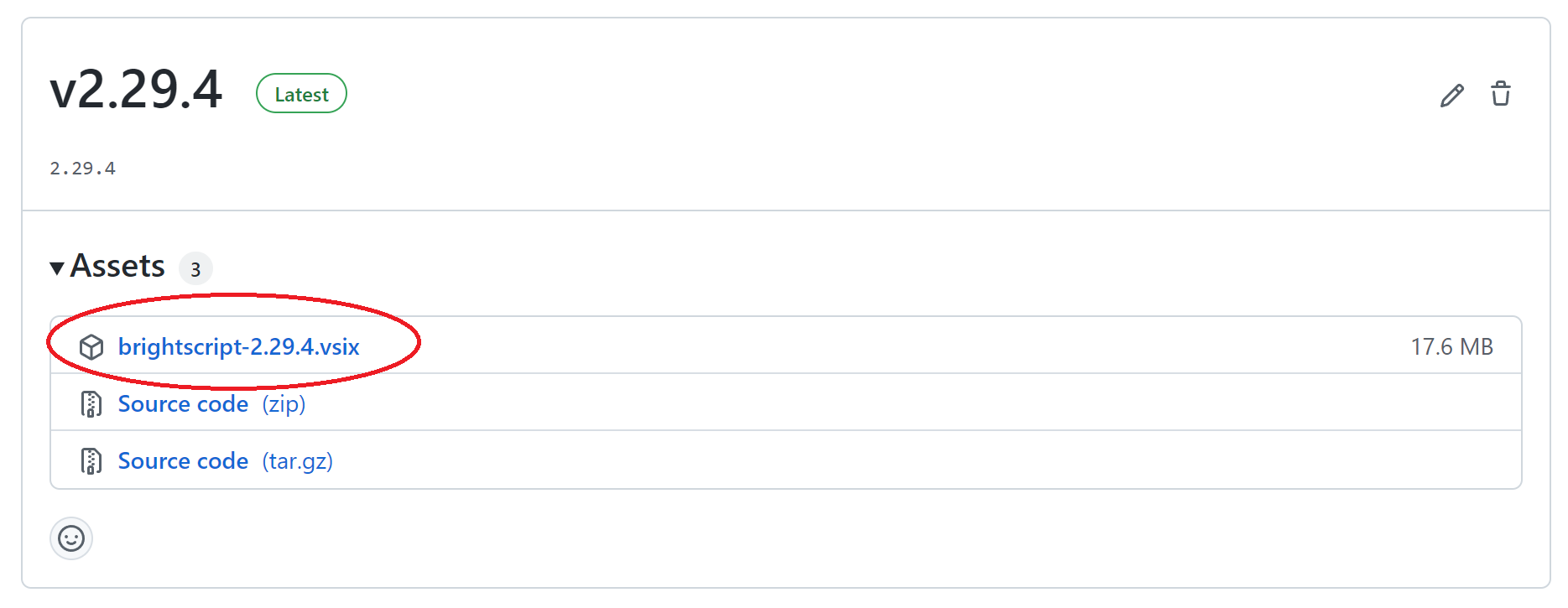
-
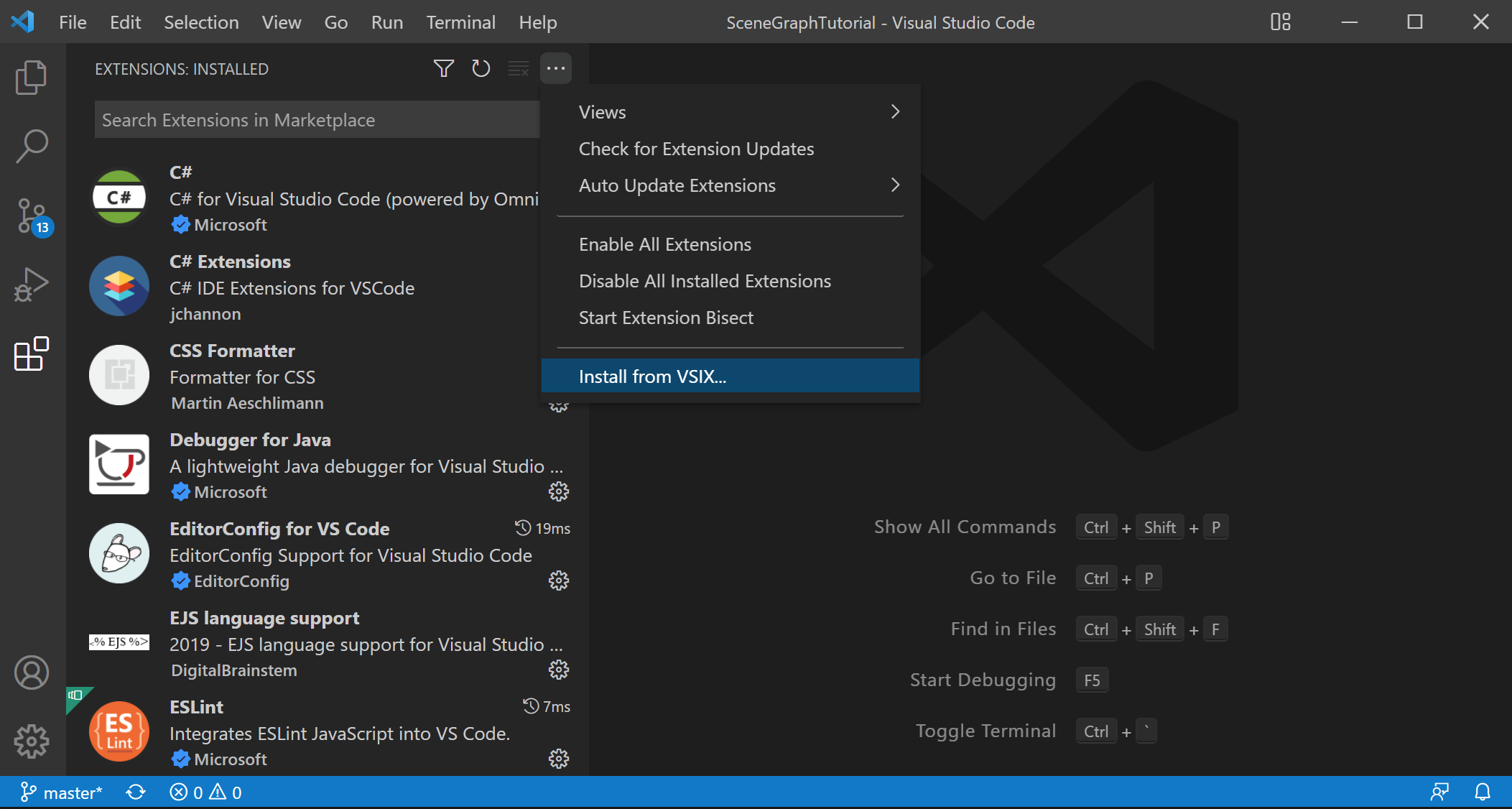
In the VSCode extensions tab, open the
...menu, clickInstall from VSIX...and select the vsix downloaded from step 2